
Recurring & subscriptions
For transactions that repeat, Finvot has two complementary tools:
- Recurring transactions — you schedule them: salary, rent, school tuition. Predictable things that don't arrive through your automatic sources.
- Subscriptions — Finvot detects them on its own by analyzing your transactions: Netflix, Spotify, the gym.
Recurring transactions
Under Profile → Automate → Recurring transactions you schedule any fixed income or expense once:
Tap + and name it (Salary, Rent, Netflix…)
Pick the type, amount, account, and category
Pick the day of the month (1-31)
In shorter months, the last day of the month is used.
Decide how it gets logged
That last step is the important one — three modes:
| Mode | What it does |
|---|---|
| Automatic | The transaction creates itself that day and we notify you |
| Reminder | You get a notification that morning so you log it yourself |
| Scheduled only | No alert, no auto-log — it only counts in your projection |
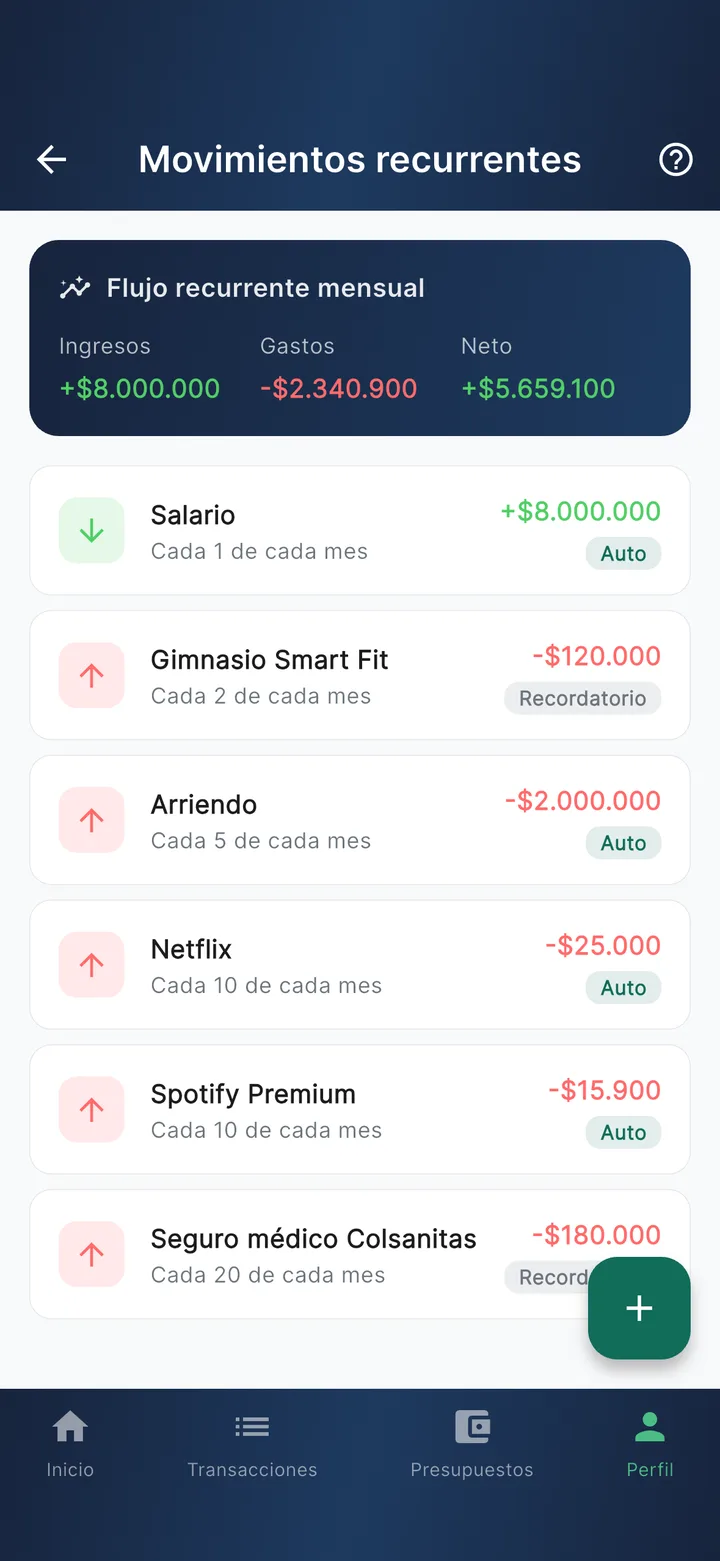
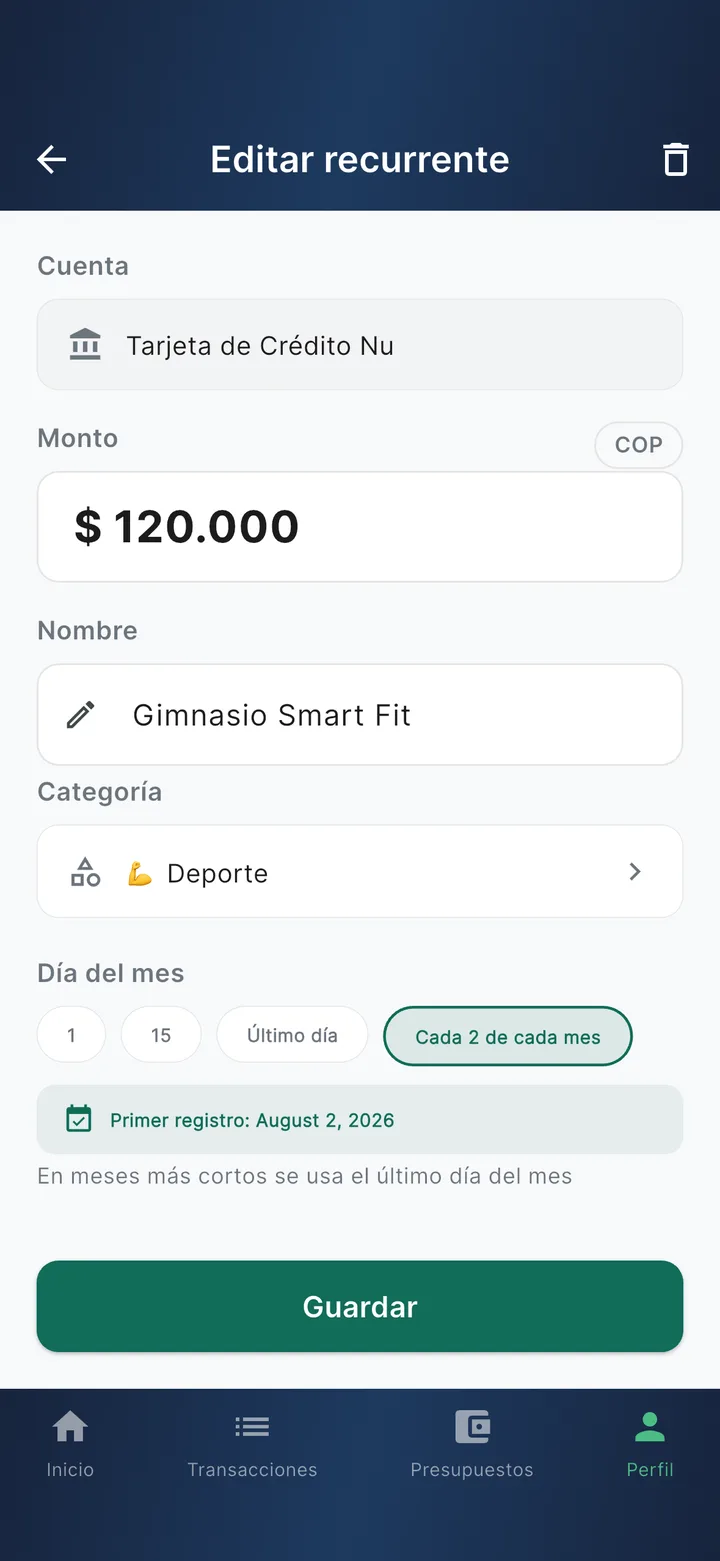
Any recurring item can be paused without deleting it (the "Active" toggle) or given an end date (great for installments: 12 months and it switches off on its own). Above the list you'll see your monthly recurring flow: how much comes in, how much goes out, and the projected net.
Detected subscriptions
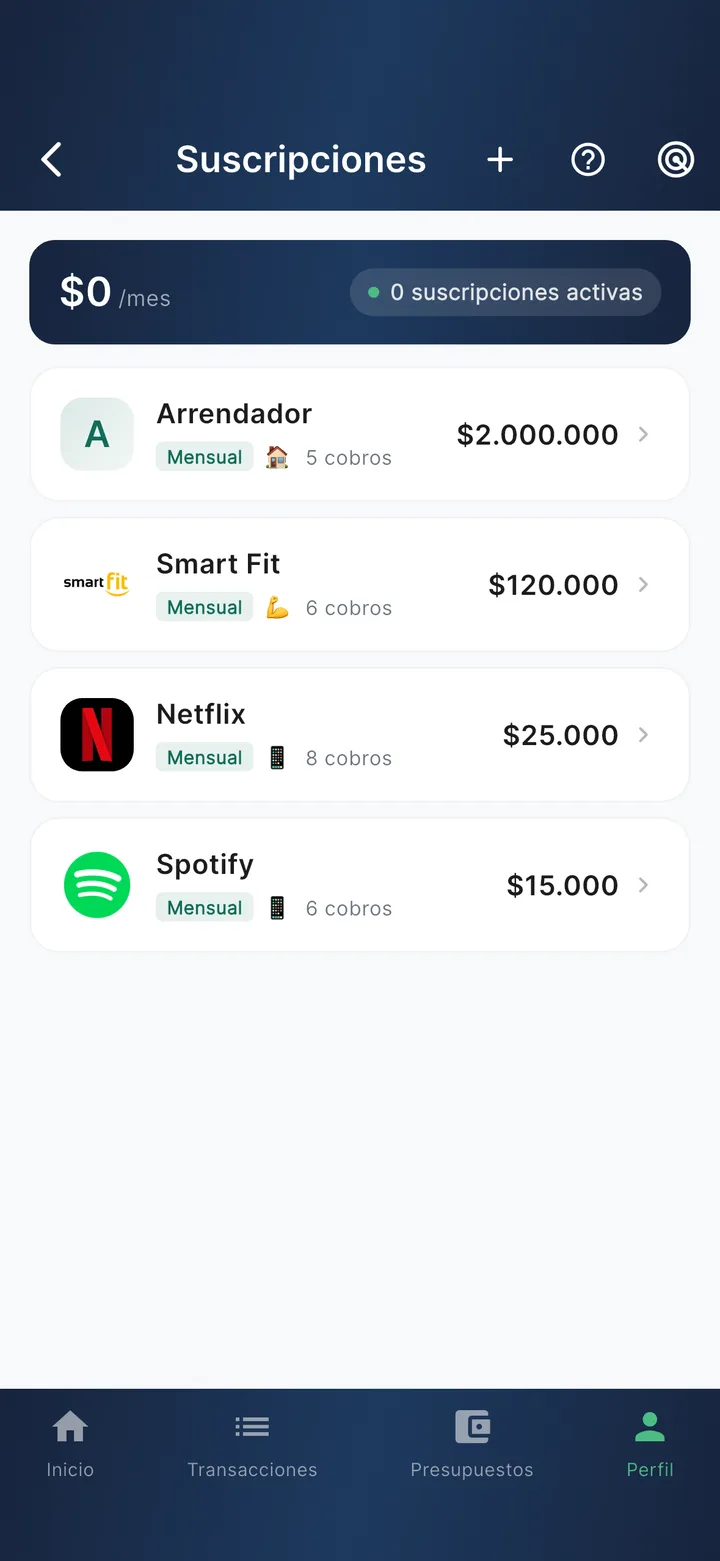
Finvot analyzes your transactions and when it spots a pattern — 3 or more charges from the same merchant, for similar amounts, at regular intervals — it groups them as a subscription. You'll see them under Profile → Automate → Subscriptions, with the summary on top: how many are active and what they add up to per month.
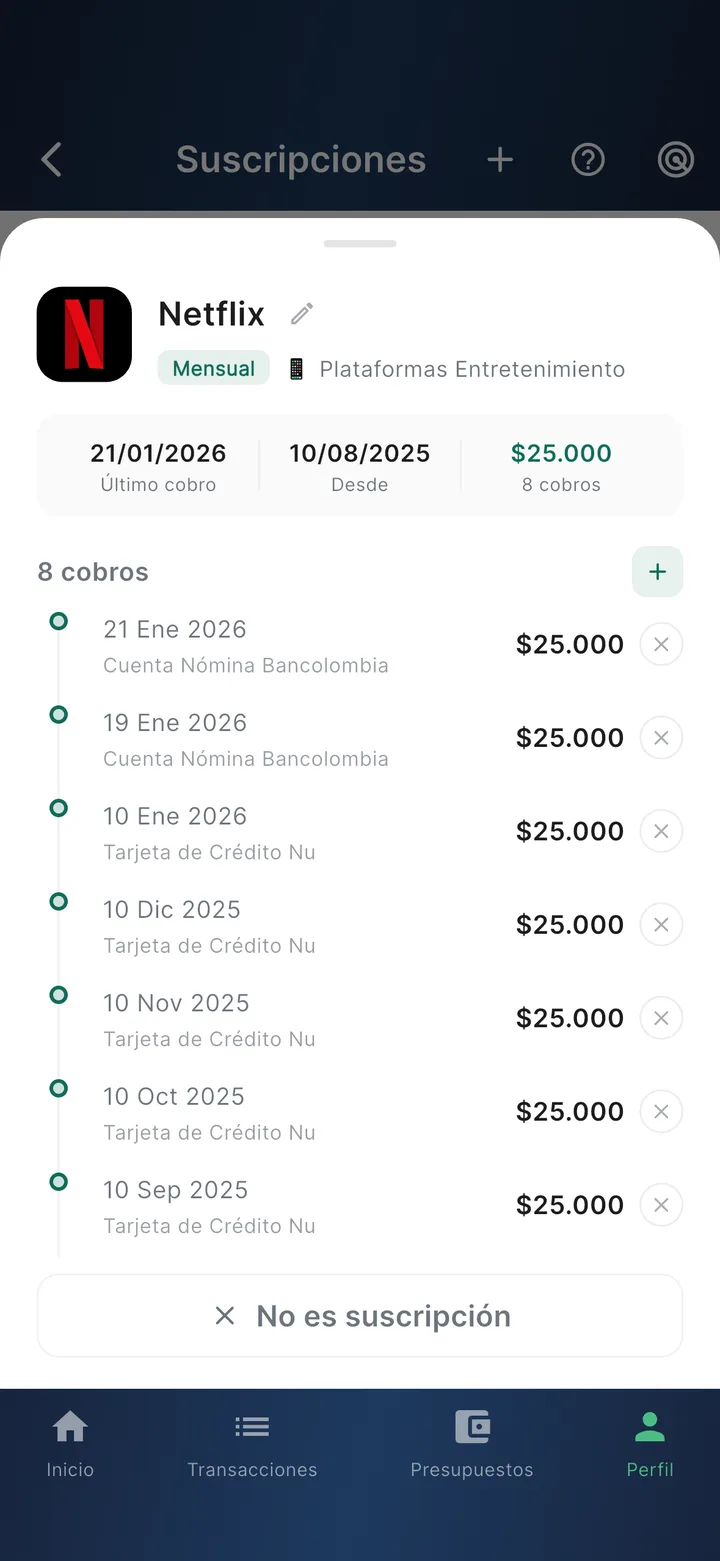
Each subscription shows its estimated monthly cost, the frequency (weekly, monthly, quarterly, annual), the last charge, and the full history.
What you can do with them:
- Rename — "APPLE COM BILL" → "Family iCloud".
- Dismiss ("Not a subscription") — if Finvot grouped something that isn't one; that merchant won't be grouped again.
- Link or unlink individual charges from the group.
- Add one manually — pick a base transaction and the frequency, for subscriptions Finvot hasn't seen enough times yet.
The real value
The subscriptions list answers the question almost nobody can answer from memory: how much do you pay per month in subscriptions? Check it every so often — there's almost always one you no longer use.
Availability
Subscription detection is available depending on your plan. If it's locked, the app shows you the option to upgrade.