
AI assistant
Finvot's AI Chat knows your transactions, budgets, accounts, and patterns — so instead of building filters and adding things up in your head, you just ask.
What to ask it
Anything about your money, like you'd ask an advisor. Real examples of what it can answer:
- "What are my sneaky small expenses and how much of the total do they represent?"
- "How does this month's spending compare to the last 3 months?"
- "Are my budgets realistic or am I being too optimistic?"
- "Give me a specific plan to cut my spending by 20%"
- "What's my real monthly saving capacity?"
- "Are there subscriptions or recurring charges I could cancel?"
- "Do I have enough available money to cover emergencies?"
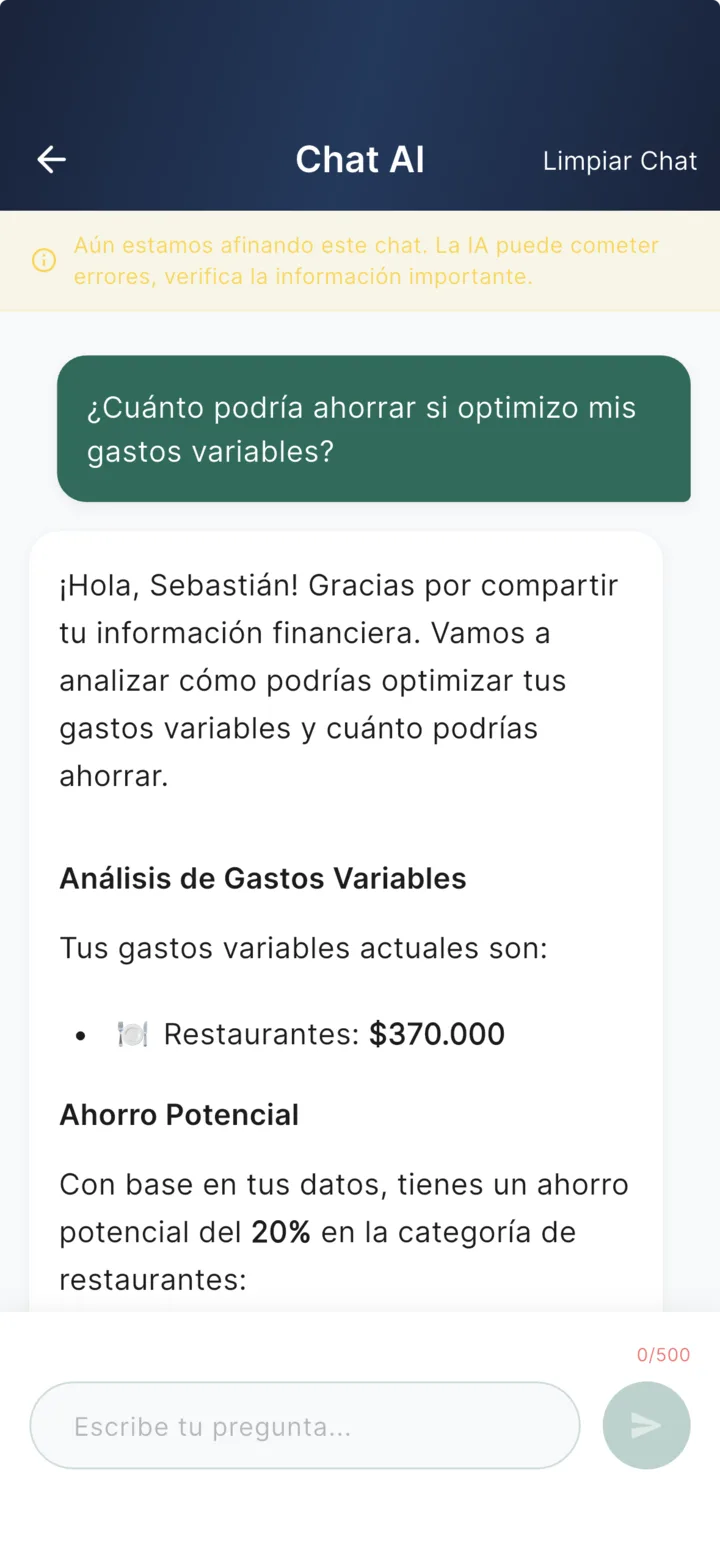
What it does and doesn't do
- ✅ Queries and analyzes: answers with your real data — totals, comparisons, trends, recommendations.
- ❌ Never modifies anything: the chat doesn't create or edit transactions or budgets. The rest of the app does that (so there are no surprises).
Verify what matters
As the app itself says: AI can make mistakes. For important decisions, double-check the numbers against your transactions.
AI reports
Beyond the chat, Finvot emails you a monthly report with a deep analysis of your month: income and spending summary, category breakdown, comparison against your budgets, trends over recent months, and specific recommendations. Turn it on or off from your notification preferences.
Privacy and limits
- The chat uses only your data (nobody else sees it), in aggregated form — your emails and sensitive information are never sent to the model.
- You can clear the chat history anytime with "Clear Chat".
- The number of messages per month depends on your plan — see plans.